

Phone · SMS · Email All from one platform.
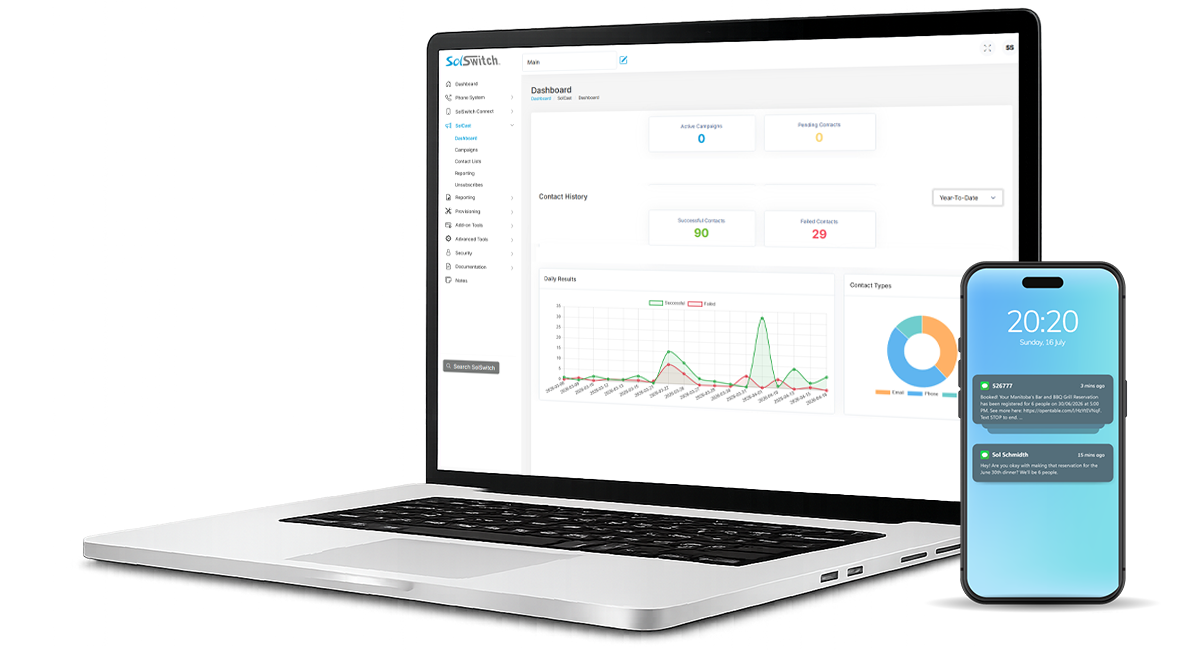
SolCast is Sunwire's automated outbound communications solution. Build contact lists, create calling, texting and email campaigns then track delivery results from one location.
- Outbound phone calls
- SMS messaging
- Email campaigns
- Real-time reporting
PRODUCT OVERVIEW
A complete outbound communications platform standalone or alongside SolSwitch.
Build it once. Deliver across every channel.
- Send via three channels from a single campaign - Phone, SMS, and Email.
- Use Time Rules to control exactly when campaigns run.
- Insert per-contact data (name, account number, balance) into every script.
- Track delivery results in real time, broken down by channel.

USE CASES
What you'll send with SolCast
From a payment reminder to an emergency alert, SolCast handles the outbound communication so you can focus on running the business.

- Reduce no-shows with automated reminders.
- Get paid faster with friendly past-due notices.
- Notify customers of outages and service changes.
- Promote events, sales, and new services.
Billing & Payment Reminders
Automated past-due notices via call, SMS, or email - with optional payment instructions and DTMF routing to your billing team.
Appointment Reminders
Confirm or cancel upcoming appointments - perfect for medical clinics, salons, and professional services.
Service & Outage Notifications
Keep customers informed about planned maintenance, outages, or service updates as they happen.
Emergency Alerts
Reach contacts fast during weather events, safety incidents, or other time-critical situations.
Customer Surveys
Collect feedback after appointments, deliveries, or transactions - across whichever channel they prefer.
Marketing & Outreach
Promote new services, run seasonal campaigns, or invite contacts to events.
CHANNELS
Three ways to reach your contacts
Each campaign can use one channel or all three - message content and rules are configured per channel.
Automated Phone Calls
AI-generated text-to-speech voices deliver your message to people and voicemail with separate scripts for each.
- Multiple TTS voices, including a Random option
- Separate Call-to-Person and Call-to-Voicemail scripts
- Voicemail speech recognition (STT) detection via AI inference
- DTMF triggers route callers to queues, extensions, or unsubscribe
- Configurable retries and concurrency (1–50)
SMS Campaigns
Send personalized text messages from your own DIDs and handle replies automatically.
- Send from any DID on your account
- Variable substitution for per-contact personalization
- "Reply STOP to unsubscribe" auto-appended for compliance
- Response triggers route replies to queues, extensions, or auto-reply
Rich Email Campaigns
Compose full HTML emails with images, custom from-name and from-address, and built-in opt-out.
- Configurable From Name and From Email
- Rich-text editor with image upload
- Full HTML formatting support
- Unsubscribe link added to every email automatically
HOW IT WORKS
From contact list to delivered campaign
Four steps to launch and track every campaign.
Build a Contact List
Add contacts manually or import from a CSV file. Lists are reusable across campaigns and can stay in sync.
Create a Campaign
Pick channels, write scripts, configure response and DTMF triggers, and attach a Time Rule if needed.
Send a Test
Verify your message with a test phone number, SMS, and email - see exactly what your contacts will receive.
Track Results Live
Watch live progress bars per channel and inspect detailed delivery logs while the campaign runs.
DEPLOYMENT
Standalone or Integrated
Three ways to deploy SolCast - your choice.
Standalone
Not a SolSwitch user? Have a different PBX? Use SolCast on its own.
Run SolCast on its own without a SolSwitch system. Access is a $19.95/month subscription fee, plus pay-per-use on the rates below.
* Includes 1 phone number for calling and texting.
Cloud Hosted SolSwitch
Already on Cloud SolSwitch? Add SolCast to your service.
Tie SolCast into your existing Cloud Hosted SolSwitch for unified administration and single sign-on. Access is a $19.95/month subscription fee, plus pay-per-use on the rates below.
* Includes 1 phone number for calling and texting.
On-Premise SolSwitch
Own your own SolSwitch appliance? Add a SolCast licence.
Integrate SolCast with your on-premise SolSwitch using your own provider details - no monthly usage charges. A one-time SolCast licence is required, plus a support plan (business-hours or 24/7/365 options).
Phone numbers for Standalone and Cloud Hosted SolSwitch
Standalone and Cloud Hosted SolSwitch SolCast customers can order new local Sunwire phone numbers for SMS sending and campaign caller ID. Existing Sunwire DIDs can also be assigned to SolCast. If your numbers are with another phone provider, contact us to discuss your options.
One phone number capable of both calling and texting is included with the $19.95/month SolCast subscription, with usage billed on the rates below. Additional local numbers and carrier registration are available as needed - see phone number pricing.
PRICING
Pay only for what you use
Usage-based rates across every channel. No monthly minimums.
Phone Calls1, 3
per minute
Outgoing custom calling campaigns.
SMS Messages2, 3
per segment
Outbound text messaging.
per email sent
HTML emails with images.
Call Recording
per 1,000 minutes
Optional recording of campaign calls.
Text-to-Speech
per 1,000 characters
AI-generated voices for call scripts.
Speech Recognition
per minute
Optional transcription of calls.
1 Minimum billing time is 30 seconds. After 30 seconds, billing time is in 6 second increments.
2 SMS pricing is for 10-digit long codes. An SMS segment consists of a message up to 160 characters. Additional carrier fees apply. See SMS pricing for short code rates and blended outbound carrier fees.
3 Phone numbers are billed separately from usage. One phone number capable of calling and texting is included with the $19.95/month Standalone or Cloud Hosted SolSwitch subscription. Additional numbers are billed by capability - a local number is $1.25/mo. for calling only, $0.75/mo. for texting only, or $2.00/mo. for both. Carrier registration may be required for SMS sending.
COMPLIANCE
Compliance Built-In
CASL, CAN-SPAM, and GDPR-aware unsubscribe handling on every channel. SolCast manages opt-outs automatically so you don't have to.
Get in TouchAutomatic Opt-Out Handling
- SMS: "Reply STOP to unsubscribe" auto-appended to every outbound message.
- Email: unsubscribe link added to the footer of every email.
- Phone: DTMF triggers can include an "Unsubscribe" action.
- Administrators can manually add unsubscribes for offline opt-outs.
Per-Sender Tracking
- Opt-outs tracked per sender - opting out from one address doesn't block others.
- Same logic applies to phone numbers and SMS DIDs.
- Removing an unsubscribe requires explicit administrator confirmation.
- Per-row deletion only - no bulk-remove from the unsubscribe list.
Multi-Channel Reach
- Phone, SMS, and Email from a single campaign - not three separate tools.
- Mix channels per contact to maximize delivery.
- Per-contact custom fields personalize every message.
- Distinct, customizable scripts for each channel.
Real-Time Visibility
- Live progress bars per channel while campaigns run.
- Detailed delivery log, filterable by date, campaign, destination.
- Per-attempt status: delivered, failed, voicemail, response received.
- Exportable reports for billing or compliance audits.
WHY SOLCAST
Built for Outbound
Phone, SMS, and Email in a single campaign - with live progress bars and detailed delivery logs to watch as your messages go out.
Book a DemoINSIDE SOLCAST
A look at the admin experience
Manage campaigns, contacts, compliance, and reporting from a single web-based admin portal.
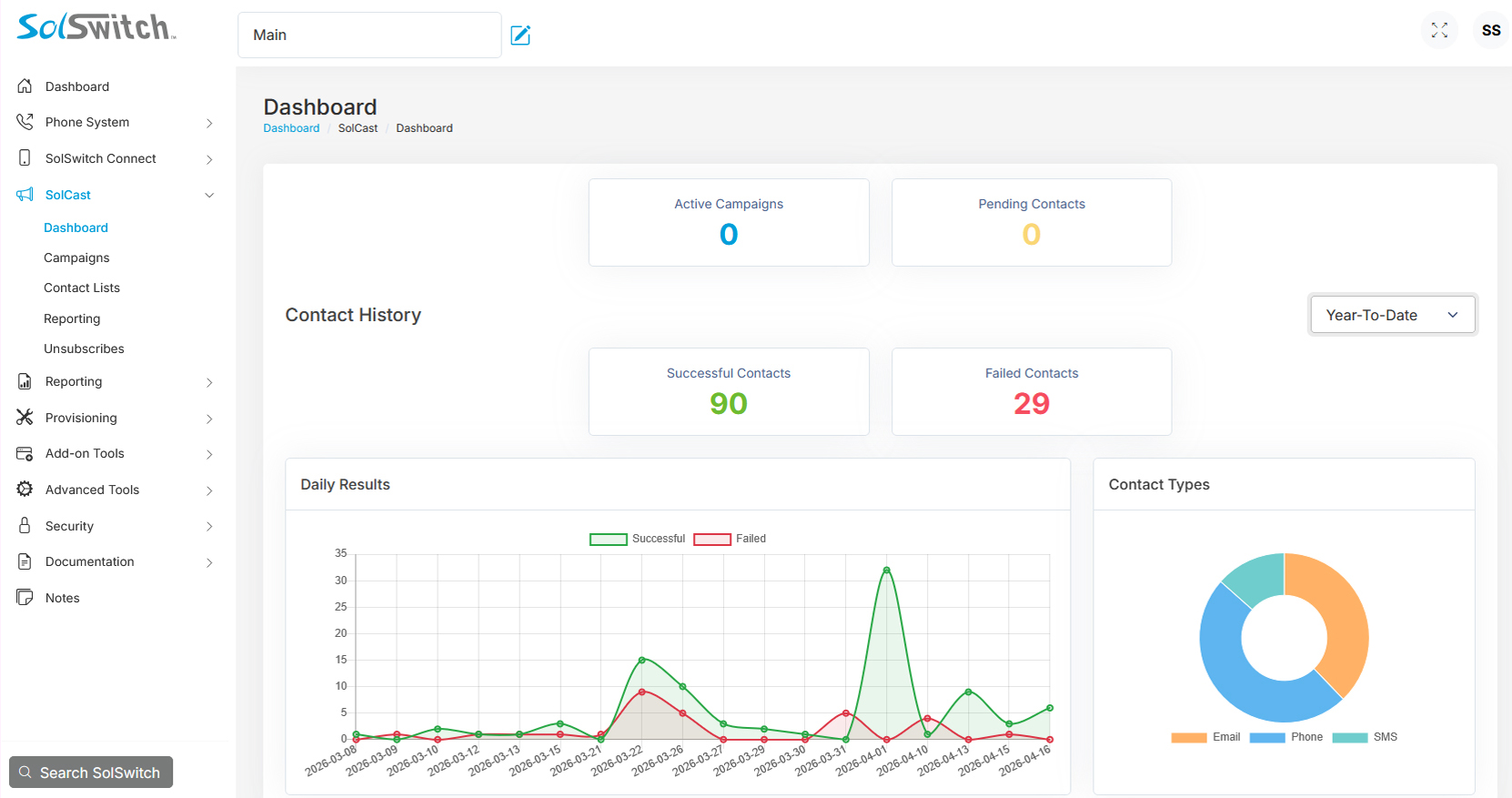
Dashboard
Campaign activity at a glance - active campaigns, pending contacts, and delivery history.
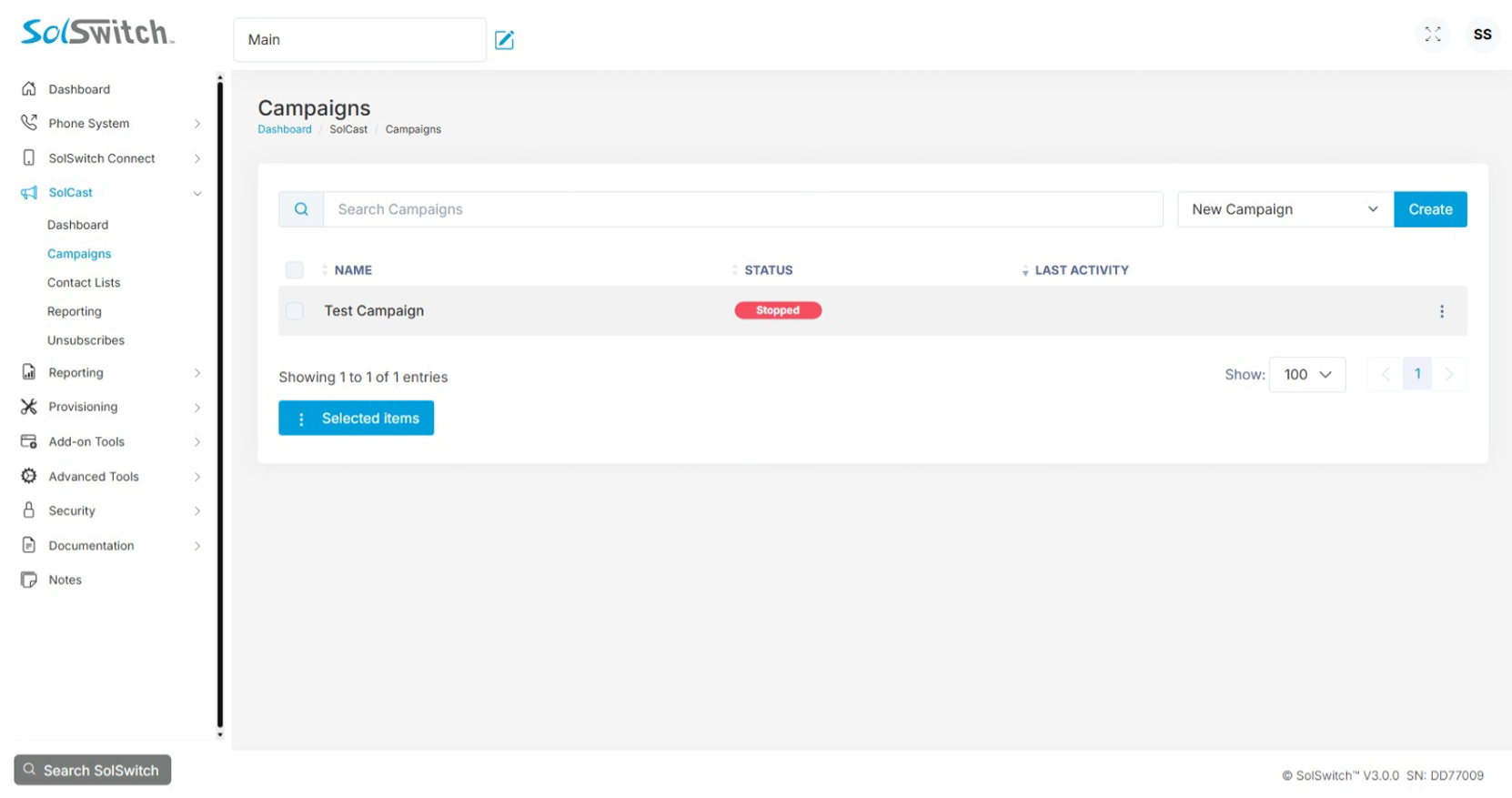
Campaigns
Manage every campaign from a single list, with live status and last-activity timestamps.
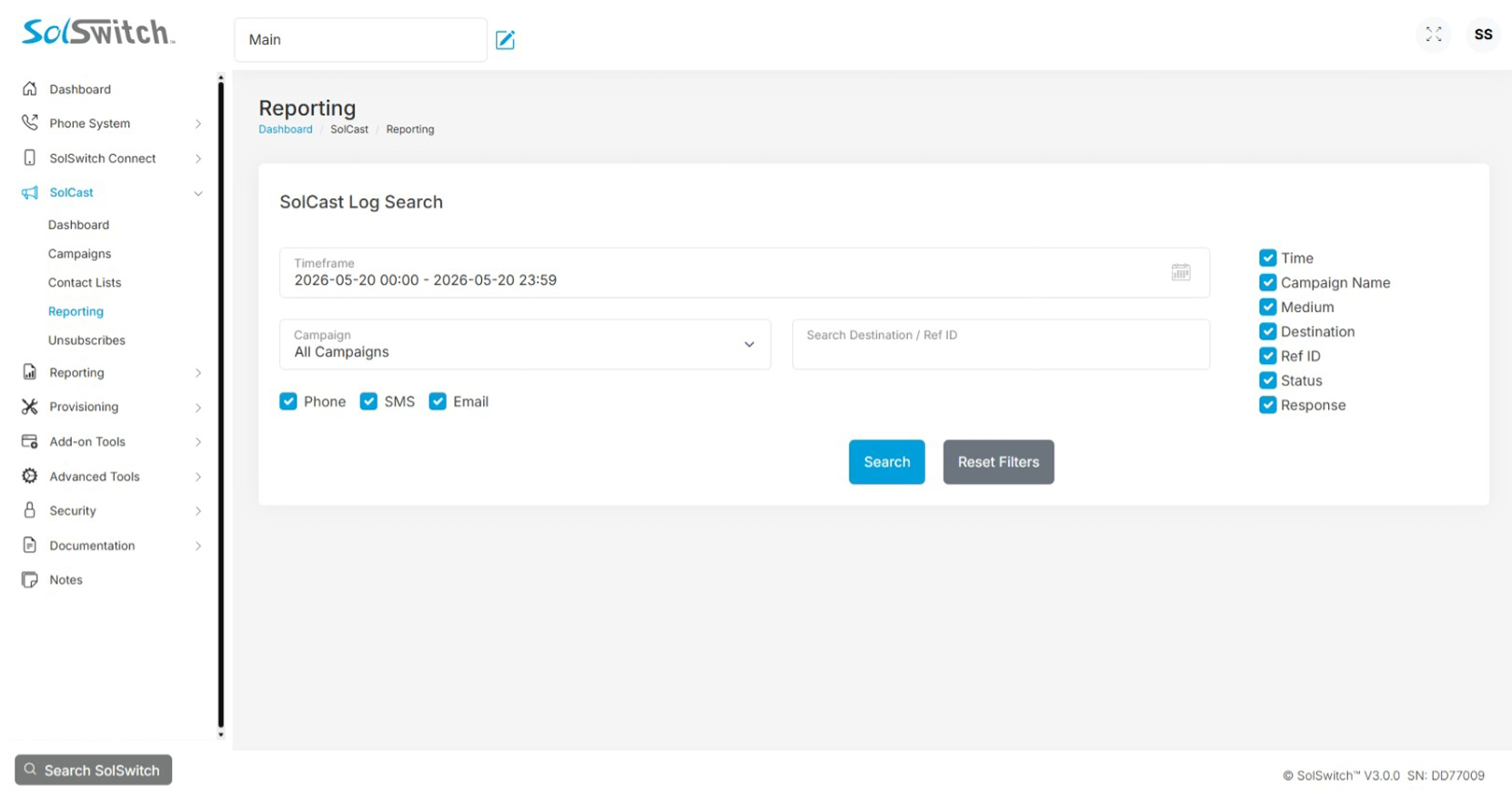
Reporting
Detailed delivery log with filters by date, campaign, destination, and channel.
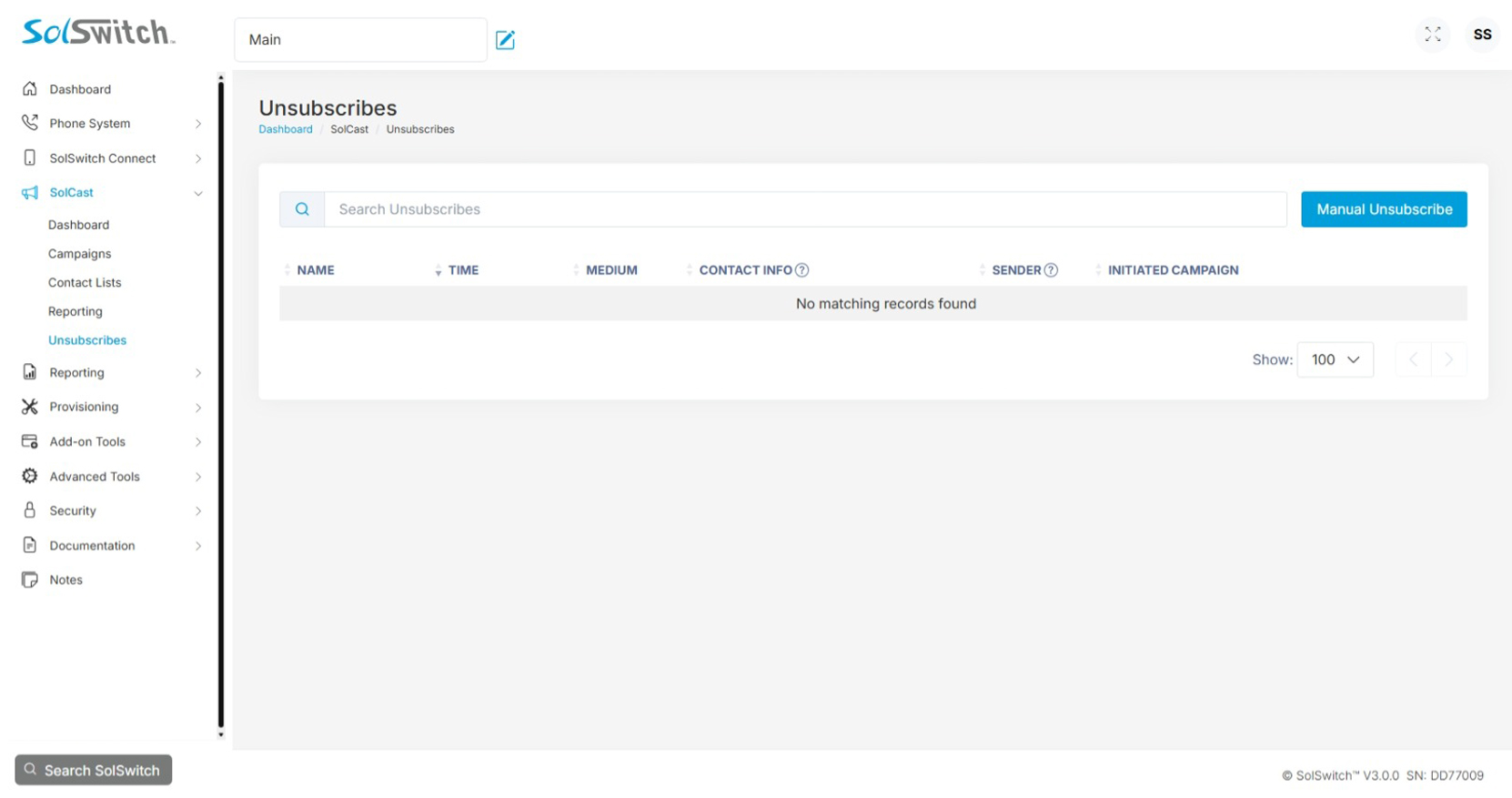
Unsubscribes
Built-in compliance tracking. Manual entry available for offline opt-outs.
Frequently Asked Questions
Quick answers to common SolCast questions.
SolCast is Sunwire's multi-channel outbound communications platform. Reach contacts via Phone, SMS, and Email through automated campaigns - all managed from a single web-based dashboard. SolCast can be purchased on its own, or added to an existing SolSwitch deployment.
No. SolCast is a fully standalone product - you don't need a SolSwitch system to use it. If you already have a SolSwitch Cloud or On-Premise deployment, SolCast can be added to it for unified communications, but it's not a requirement.
One phone number capable of calling and texting is included with the $19.95/month Standalone or Cloud Hosted SolSwitch subscription, and it's used for SMS sending and campaign caller ID. You can order additional local Sunwire numbers, or assign DIDs you already have on your Sunwire account. If your numbers are with another phone provider, contact us to discuss your options. See the Pricing section above for per-number rates.
Phone, SMS, and Email - used individually or mixed within a single campaign. Each channel has its own script, settings, and per-contact response handling.
Automatically. SMS includes a "Reply STOP" prompt, email includes an unsubscribe link, and phone campaigns can route an unsubscribe DTMF option. Opt-outs are tracked per sender, and administrators can also add manual unsubscribes for offline opt-outs.
Yes - campaigns can be attached to a SolSwitch Time Rule. When the rule is closed, the campaign pauses; when it opens again, the campaign resumes automatically. Without a Time Rule, the campaign runs continuously until all contacts have been processed.
No - SolCast requires its own licence. Usage is billed per channel based on actual consumption: phone calls per minute, SMS per segment, email per message sent, plus optional add-ons (TTS, STT, call recording). See the Pricing section above for current rates.
Yes. Define custom fields per campaign (e.g. "Account Balance" or "Appointment Date") and reference them in any script as ${Field Name}. Per-contact values are inserted at delivery time on Phone, SMS, and Email alike.
WE'RE EASY TO REACH
Contact Us
Call, text or email below.
Call or Email
Visit Us
850 Barrydowne Road
Sudbury, ON
P3A 3T7